# 🎉Welcome
## Links
### Get the plugin
**SpigotMC:** [PREMIUM](https://www.spigotmc.org/resources/flipcard-new-dungeon-reward-era-dynamic-rate-cost-condition-custom-texture-1-14-1-21-11.104916/)
**Polymart:** [PREMIUM](https://polymart.org/product/4295/enchantmentslots)
**BuiltByBit:** [PREMIUM](https://builtbybit.com/resources/flipcard.23053/)
### Get support
* All users have an obligation to comply with our rules after joining the Discord server, which can be viewed in the rules channel. If you do not agree with our rules, you will not be able to receive our service support. Users who violate the rules will be punished according to the situation, including permanent ban.
* Every user is obligated to comply with our plugin terms of use. You can find these in the **LICENSE** file within the JAR file. We do not provide any assistance to users who fail to comply with the terms of use.
* Support is only available at our [Discord](https://discord.gg/rzajeybhbw) server.
* 因 Discord 在中国大陆区域不可用,如果您在中国大陆购买了此插件,可以凭购买的账号平台、名称,在此QQ群享受售后服务:815351827。
## Info
* FlipCard is a new type of reward plugin that draws inspiration from rogue-like dungeon games. After completing a level, players can choose one card from several unknown reward cards as their prize.
* Directly hook into MythicDungeons plugin by registering new function in it's function tool and you can also start fllip card by use our command.
* You can create unlimited card types within the flip UI and set the max number of cards players can flip. Both the flip UI and the cards themselves offer a high degree of customization, with numerous options available for adjustment. More details can be found in the Wiki.
* It supports economic and item integration with 10+ plugins and supports placeholders from PlaceholderAPI.
* You can set the rarity frame for rewards to let players know the rarity of each reward.
* Customizable card and UI textures are available, with the plugin providing three sets of card textures and one set of UI textures. (Download them at Wiki, some of them maybe not updated to latest plugin version)
* Dynamic rates and conditions are supported. The chances of obtaining rewards from cards and the conditions for obtaining them can different for each player. The rates options even support the use of PlaceholderAPI and mathematical symbols.
* It features a smooth animation system.
# ✅Requirements
## Java Version
* Basic Requirement: **Java17+**
## Server Software
| Server | Can work in your server | Can get offical support |
| --------------- | ------------------------------------------------------------------------------------------------------------------------- | ------------------------------------------------------------------------------------------------------------------------------------------------------------------------------------------------ |
| Spigot |
✅ Some features does not provide in Spigot servers
| ✅ |
| Paper/Purpur |
✅ Can provide subtle performance improvements.
| ✅ |
| Folia |
❓ Any problems only occurs in Folia servers may not be solved. Plugin is not designed for multi thread support.
|
❓
Folia's support is in the early testing stage and may be released in official versions or removed in the future. This support is not a guarantee.
|
| Other softwares | ❌ | ❌ |
## Resource Pack
* This plugin must be used in conjunction with **a resource pack**, which is automatically generated by the plugin. If your server has installed resource pack plugins such as **ItemAdder** and **Oraxen**, the plugins support [automatically merging resource pack](/features/auto-copy-resource-pack) into the resource packages of these plugins.
## Server Version
| Version | Can work in your server | Can ger offical support |
| -------------------- | ------------------------------------------------------------------------------------------------------------------------- | ----------------------- |
| **Below 1.14** | ❌ | ❌ |
| **1.14 \~ 1.20.4** |
❓ The plugin can run on these versions, however, any issues caused on these versions will not be resolved.
| ❌ |
| **1.20.5 and above** |
✅ Using versions 1.21.5 and above is the most recommended, as you can enjoy the best features.
| ✅ |
* If you encounter errors while using a certain version, please join our Discord feedback.
# ⚙️Install
## Plugin Install
* Put the `.jar` file into your server's `plugins` folder.
* Stop your server and then restart it. Cannot load plugins in any other way while the server is starting.
* When updating plugins, please be sure to remove old versions.
* When downgrading from **a new game version** to **an old version** on the server where the plugin is located, it is important to remove the `items` folder from the configuration file.
* When downgrading from **a new game version** to **an old version** on the server where the plugin is located, it is important to remove the `pack` folder from the configuration file.
* When using the [Localized Item Name](/features/localized-item-name) feature, it is important to note that when switching server game versions, the previously generated localized files need to be deleted.
* This plugin will generate resource pack at `pack` folder, you need install the resource pack to your client or using plugins like **ItemsAdder** or **Oraxen** to send the resource pack to client.
## Resource Pack Install
If you want to use custom card and UI texture, please note:
* If your server don't have resource pack yet, just zip your pack folder and ask your players install it in their Minecraft client. For more info, please view below.
* If your server use other resource pack plugin, you need merge these two resource packs first. For ItemsAdder and Oraxen plugin, we have auto merge feature. (Require enable `auto-copy-resourcepack.enabled` option in config.yml and set correct value at auto-copy-resourcepack config section)
Don't forget to check [Texture](/flip-ui/textures) page to know more about our resource pack!
### How to install resource pack?
First, you have to answer me a question: **Are you using resource pack plugins like ItemsAdder?**
If no, you must install the resource pack at Minecraft client.
* Open the game.
* At main menu, click **Options...** button.
* At options menu, click **Resource Packs...** button.
* Zip plugin's `/pack/` folder, then drag and drop it to this window.
* Click the new resource pack to add it to game.
* All is done, join your server and now you will see custom card textures!
If yes, you have to merge the two resource pack. For ItemsAdder and Oraxen plugin, we have [auto merge](/features/auto-copy-resource-pack) feature. (Require enable `auto-copy-resourcepack.enabled` option in config.yml and set correct value at auto-copy-resourcepack config section)
* We use **Blue\_dye** as material, if your other resource pack plugin does not use it as material, you just need copy and paste FlipCard's resource pack to the other plugin's resource pack.
* If your other resource pack plugin use it **White\_dye** as material, you have to merge the two resource pack. This is a little complex, maybe [this site ](https://merge.elmakers.com/)can help you. What's more, you can also contact our staff to help you merge!
* **FlipCard does not send the resource pack to players**, so you need use the other resource pack plugin to send the merged resource pack to players.
# 🔗Compatibility
The compatibility of plugins mainly includes hooks for **item plugins** and **economy plugins**. Unlike other plugins of the same type, we can support them regardless of their appearance.
## **Direct compatibility**
Direct compatibility refers to the use of item plugins or the economy of economic plugins directly in **ItemFormat** or **EconomyFormat**. This compatibility method is the simplest and officially supported.
### Directly supported item plugins list
* ItemsAdder
* Oraxen
* EcoItems
* EcoArmor
* MMOItems
* MythicMobs
* eco
* NeigeItems
* ExecutableItems
* Nexo
* CraftEngine
### Directly supported economy plugins list
* PlayerPoints
* CoinsEngine
* UltraEconomy
* EcoBits
* PEconomy
* RedisEconomy
* RoyaleEconomy
* VotingPlugin
The following provides an example of directly obtaining items from the **ItemsAdder** plugin through the direct compatibility feature in **ItemFormat** and using economy from **Vault** plugin in **EconomyFormat**:
```yaml
prices:
1:
hook-plugin: ItemsAdder # Item Format
hook-item: fishing_pack:common_fishing_bait # Item Format
placeholder: 'common_fishing_bait x10'
apply: [1,2]
amount: 10
2:
economy-plugin: Vault
placeholders:
2: '$10'
3: '$20'
4: '$30'
5: '$40'
apply: [2,3,4,5]
cost: [10,20,30,40]
conditions: []
rewards:
1:
material: GOLDEN_APPLE
amount: 1~5
rates:
default: 3
edge: very_rare
2:
material: DIAMOND
amount: 5~10
rate: 6
edge: rare
3:
material: ENCHANTED_GOLDEN_APPLE
amount: 5~10
rate: 1
edge: very_very_rare
```
## PlaceholderAPI: Extra placeholders
**FlipCard** provides those new placeholders to PlaceholderAPI!
* `%flipcard_times_player_%` - show the left times of specified UI config.
## MythicDungeons: Extra function
A addon plugin called **ManyouMDExtension** add new function to MythicDungeons.
* Start flip UI - open a flip UI to players.
Download Link:
## NeigeItems: Item Name Translation Hook
Through this hook, the localized names of vanilla items can be automatically displayed in the language set in NeigeItems.
Download NeigeItems here:
You should download NeigeItems-xxx.jar (not NeigeItems-api), the file lager than 10MB.
Install it in your server and change it's `language` option in `config.yml` file.
All is done! Now plugin will auto display localized item name for now.
## MythicChanger: Extra Item Format option
Through this hook, based on the [ItemFormat](https://ultimateshop.superiormc.cn/format/itemformat-tm), items can be further modified to their desired appearance.
This feature require your server must install **MythicChanger** plugin, please get it here:
**FREE:** [Click to download](https://www.spigotmc.org/resources/mythicchanger-match-and-modify-all-your-items-without-trouble-1-14-1-21.98523/)
**PREMIUM:** [Click to download](https://www.spigotmc.org/resources/mythicchanger-premium-match-and-modify-all-your-items-without-trouble-1-14-1-21.115913/)
For how to configure the `change-item` section, please read MythicChanger's wiki, [click here](https://simple.superiormc.cn/) to visit. Please note that some of the change rules require **PREMIUM version of MythicChanger, not PREMIUM version of UltimateShop**!
If you are using **premium version of MythicChanger**, it will allow you use custom NBT tag by adding nbt-xxx rule here. You can also use `/mc viewnbt` command to view the hold item NBT info.
```yaml
change-item:
set-name: '&fGood Diamond Sword'
```
## NBTAPI: Extra Item Format option
The format of this option is:
```yaml
nbt:
:
:
```
Supported NBT Type: '
* byte
* short
* int
* long
* float
* double
* string
For example:
```yaml
nbt:
string:
customNBT: 'Hello!'
int:
anotherNBTComponent.theNBTKey: 5
```
# 🛠️Configuration files
The plugin generates the following configuration files, some of which will only be generated after you first use this feature.
* `ui`: Save your card flop configurations.
* `item`: Save your custom items.
* `language`: Save language files.
* `pack`: Save the resource pack that automatically generated by the plugin.
* `texture`: Save your card textures.
* `generated-item-format.yml` file: When using the `/fc generateeitemformat` command, we will parse the item you are holding into an **ItemFormat** and store the parsed **ItemFormat** content in this file.
* `XX_xx.json` file: Localized files automatically generated through [Localized Item Name](/features/localized-item-name) feature. The name of this file is determined based on the localized language you have set for this feature, but it usually ends in `. json`.
If you just want use the default card texture, you don't need care about the pack and texture folder.
## Config.yml file content
```yaml
# FlipCard by @rtz1020 & @PQguanfang
#
# READ THE WIKI: flipcard.superiormc.cn
#
config-files:
language: english
# Premium version only.
minecraft-locate-file:
# After enable, we will autoload Minecraft locate file when we need know an item's locate name.
# It will make server little lag when loading this file because this file is very large.
enabled: true
generate-new-one: false
file: 'zh_cn.json'
# Paper only feature.
paper-api:
save-item: true
skull: true
math:
enabled: true
# Item Price
item-price:
# Support Value: Bukkit, ItemFormat.
check-method: Bukkit
item-format:
ignore-key:
- 'lore'
- 'damage'
- 'tool.damage-per-block'
reward:
# Support Value: INSTANT, WAIT
# If set to WAIT, we will give player rewards after this flip UI is closed. (give all flipped cad reward in once)
# If set to INSTANT, we will give player rewards after he flip the card and claimed the reward.
give-method: WAIT
# Support Value: UUID, Name.
data-save-mode: UUID
auto-copy-resourcepack:
enabled: true
# If you are using Oraxen, please change this to Oraxen.
# Other plugins is OK, you just need put correct path in path option.
plugin: "ItemsAdder"
# If you are using Oraxen, please change this to "/pack/assets".
path: "/contents/flipcard/resourcepack/"
mysql:
enabled: false
host: localhost
port: 3306
user: root
pass: root
database: data
flip-gui:
display-time: 10
card:
x_scale: 4.0
y_scale: 3.8
translation: -80
edge:
x_scale: 3.5
y_scale: 3.5
translation: -70
animations:
chest:
chest_1:
rotation: 0.0
y_translation: 0.0
z_translation: 28.0
x_scale: 1.9
y_scale: 1.9
chest_2:
rotation: 0.0
y_translation: 0.0
z_translation: 28.0
x_scale: 1.9
y_scale: 1.9
chest_3:
rotation: 0.0
y_translation: 0.0
z_translation: 28.0
x_scale: 1.9
y_scale: 1.9
chest_4:
rotation: 0.0
y_translation: 0.0
z_translation: 28.0
x_scale: 1.9
y_scale: 1.9
chest_5:
rotation: 0.0
y_translation: 0.0
z_translation: 28.0
x_scale: 1.9
y_scale: 1.9
chest_6:
rotation: 0.0
y_translation: 0.0
z_translation: 28.0
x_scale: 1.9
y_scale: 1.9
chest_7:
rotation: 0.0
y_translation: -18.0
z_translation: -28.0
x_scale: 1.9
y_scale: 1.9
```
# ⌨️Commands
## Commands with Permissions
### /flipcard forceopen \ \ - Start a card flip event for a player.
Permission: flipcard.admin
### /flipcard reload - Reload the plugin.
Some configs need restart your server.
Permission: flipcard.admin
### /flipcard save \ - Save your hold items. Used in Custom Item reward.
Permission: flipcard.admin
### /flipcard settimes \ \ \
Permission: flipcard.admin.
### /flipcard givetimes \ \ \
Permission: flipcard.admin. Taketimes just make times arg to negative number.
### /flipcard gettimes \ \
Permission: flipcard.admin.
### /flipcard open \ - Cost one flip UI left time to start a card flip event for player self.
Permission: flipcard.open
### /flipcard reopen \ - Try re-open flip card page.
Permission: flipcard.reopen
### /flipcard generateitemformat
Permission: flipcard.generateitemformat
## Bypass Permission
* flipcard.bypassprice: Bypass card price check.
* flipcard.bypasslefttimes: Bypass flip UI left times check.
# 📋Format
The **Item Format**, **Action Format**, **Condition Format**, and **Math Calculation Format** provided by **FlipCard** are almost identical to those in UltimateShop. Therefore, they will not be elaborated on in this wiki. Please refer to UltimateShop's wiki for a detailed introduction about them. Click [here](https://ultimateshop.superiormc.cn/format) to view.
## Features related to format different from UltimateShop
### Actions
Although the following actions exist in **UltimateShop**, they are not provided in MythicChanger because the author believes that adding them is unnecessary - most users will not use them, and adding them will only further waste the performance of most users' servers.
* `buy`
* `sell`
* `open-menu`
* `shop-menu`
* `connect`
### General Options for ActionFormat and ConditionFormat
FlipCard don't provide any general options that exist in UltimateShop in ActionFormat and ConditionFormat.
### Placeholders provided in ActionFormat and ConditionFormat
FlipCard supports those placeholders in ActionFormat and ConditionFormat that exist in UltimateShop.
* {amount} - The amount of reward items.
* {display} - Reward item display name.
* {price} - Card price.
* {times} - The amount of command reward times the reward command executed.
* {player\_x}
* {player\_y}
* {player\_z}
* {player\_pitch}
* {player\_yaw}
* {player}
# 📝UI Config
## Where can I find them?
All cards event configurations are saved in `/plugin/FlipCard/ui` folder.
## Name
Every FlipCard card flop UI configuration have its unique name. It likes **example.yml**. The name of card configuration determines the command arg `` when you use the plugin's commands. Taking **example.yml** as an example, you need use **/fc forceopen \ example** command to open its card flop UI.
## Composition
All card configurations are composed of **UI configuration and reward configuration**.
## UI Configuration
Open a card configurations, you will find the following section.
```yaml
settings:
title: "&9Pass Reward"
time: 60
timer: true
display: true
auto-close: true
can-close: true
auto-claim-free-rewards: true
close-animal: true
total-max: 10
```
* title: Titles of the card flip UI. In language file there also have some language key to use in the UI title. Both them support use `{timer}` (display left times, in second) and `{times}` (display total left flip times, if this value is 0, player no longer can flip card in the UI) placeholder.
* time: Duration of the card flip. Players must claim cards in this time. **ONLY take effect when the timer option is enabled.**
* timer: Enable or disable timer.
* display: Allow or disallow player preview the card rewards. After preview the cards will be shuffled.
* auto-close: Whether the flip UI will close after all cards have floped.
* can-close: Whether the flip UI can close by player self or player have to wait the timer is out.
{% hint style="info" %}
It is **recommended** you set `reward.give-method` option value to **INSTANT** in `config.yml` if you set `can-close` to `false` here. Otherwise, if player leave the server during the timer and didn't get back in server, all his reward will lost! This will lose some animation effects, but it will reduce the likelihood of players losing rewards.
{% endhint %}
* close-animal: Whether display close animal when auto close enabled and activated. In this animal, all cards will display its reward (however players wont get them) before UI closes.
* auto-claim-free-rewards: Whether plugin will auto send all free type rewards to players after they close flip UI.
* total-max: Total max flip limit for all cards in a flip UI. Default to -1, which means no limit.
## Card Type Configuration
The following section are card type configurations. Each card type configureation mean one card type, not one card.
```yaml
card_1:
# card_1's config
card_2:
# card_2's config
card_3:
# card_3's config
```
The detailed configuration is as follows:
```yaml
card_1:
front: card2
back: card3
amount: 5
name: "&dLucky Flip - Advanced"
lore:
- "You need to cost %price% "
- "to flip this card"
prices:
1:
material: STONE
placeholder: 'STONE x10'
apply: [1,2]
amount: 10
2:
economy-plugin: Vault
placeholders:
2: '$10'
3: '$20'
4: '$30'
5: '$40'
apply: [2,3,4,5]
cost: [10,20,30,40]
conditions: []
rewards:
1:
material: GOLDEN_APPLE
amount: 1~5
rates:
default: 3
vip: 30
rates-conditions:
vip:
1:
type: permission
permission: 'group.vip'
edge: very_rare
2:
material: DIAMOND
amount: 5~10
rate: 6
edge: rare
3:
material: ENCHANTED_GOLDEN_APPLE
amount: 5~10
rate: 1
edge: very_very_rare
flip-actions:
1:
type: announcement
message: '&a[FlipCard] %player% received &6%amount%-%display%'
actions:
1:
type: announcement
message: '&a[FlipCard] %display% has send to your inventory!'
card_2:
front: card2
back: card1
amount: 5
name: "&bLucky Flip"
lore:
- "You need to cost %price% "
- "to flip this card"
- "You should have permission: group.default when flip this card first time"
- "You should in world Wolrd When flip this card second time"
prices:
1:
free: true
apply: [1,2]
conditions:
1:
1:
type: permission
permission: 'group.default'
2:
1:
type: world
world: world
2:
type: permission
permission: 'group.default'
2:
material: "sword"
placeholder: "A OR TWO SUPER SWORD?!"
start-apply: 3
amount: 2
3:
economy-plugin: Vault
placeholders:
# Apply Times: Placeholder String
1: '$50'
2: '$500'
3: '$1000'
4: '$1500'
5: '$2000'
apply: [1,2,3,4,5]
cost: [50,500,1000,1500,2000]
conditions:
1:
type: world
world: world
2:
type: permission
permission: 'group.default'
rewards:
1:
material: IRON_INGOT
amount: 5~10
rate: 10
edge: common
2:
material: DIAMOND
amount: 1~2
rate: 5
edge: rare
3:
material: GOLD_INGOT
amount: 1~5
rate: 6
edge: rare
# If you want to use saved items:
4:
material: "sword"
amount: 1
rate: 1
edge: very_rare
limit: 1
# If you want to use commands as reward
5:
material: GOLD_NUGGET
name: "&6money"
cmd: 10
amount: 1
lore:
- "x1000"
give-item: false
actions:
1:
type: console_command
command: "eco give %player_name% 1000"
rate: 5
edge: common
# If you want to use hook plugins
6:
hook-plugin: MMOItems
hook-item: SWORD;;TEST
rate: 5
edge: common
```
* front: Texture of unfliped card.
* back: Texture of fliped card.
* animate: Custom animate used by this card type, **if set, you should remove front and back option here.**
* max: The max flip max times in a card flip event. It should be less than amount.
* amount: Amount of this type of card. The combined value of all cards amount cannot be greater than the value set by the slot option. (For example, 10 slots = 10 cards)
* name: Card display name.
* lore: Card lore. Can use `%price%` to display its cost.
* prices: Price config. For more details, please view [Price Config](/flip-ui/ui-config/prices-option).
* rewards: Reward config. For more details, please view [Rewards Config](/flip-ui/ui-config/rewards-option).
# Rewards Option
## Item Format
Each reward must has item to display. Should use Item Format at [this](https://ultimateshop.superiormc.cn/base/item-format) page.
**Example:**
```yaml
1:
material: DIAMOND
custom-model-data: 0
name: '&eA Reward'
lore:
- '&fLine1'
- '&fLine2'
# For command rewards, you should set this option to false.
# Otherwise, players will get both item you set here and also the commands reward.
give-item: true
# Random amount.
amount: 1~10
chance: 20
edge: rare
```
## General Options
Those options can be used in the 2 types of reward. **All of them except rate are optional.**
* amount: The amount of reward items. Like `1`. You can also entry in the form of "`1~5`" which means the amount is random in the interval.
* times: How many times the commands excute, can be used as random money amount. You can also entry in the form of "`1~5`" which means the times is random in the interval.
* give-item: Whether give the item to the player. Recommend set false if just want to use commands as reward. Like: `true`.
* actions: The action will active after finish flip (close flip UI). Use **Action Format** here, for more info, please view [Format](/info/format) page.
* flip-actions: The action will active when flip the card. **For safely reason, only recommand use announcement action here.** Use **Action Format** here, for more info, please view [Format](/info/format) page.
* rate: The weight of the reward. Real rate is this `reward rate/all rewards total rate`.
You can also use `rates` option to replace `rate` option to make dynamic rate, like:
```yaml
rates:
default: 0.1
one_rates_condition: 0.4
```
This means default players will have 0.1 rate for this reward, players meet `one_rates_condition` condition (view rates-conditions option below) have 0.4 rate.
This rate supports PlaceholderAPI's placeholder and Math string, like this: **(You need enable math.enabled option in config.yml file to use Math string)**
* rates-conditions:
```yaml
rates-conditions:
one_rates_condition:
1:
type: world
world: 'OneWorld'
```
`one_rates_condition` is Condition ID, can write it at rates option like this format. In this example, players who in OneWorld will have 0.4 rate.
Each condition id section should use **Condition Format**, for more info, please view [Format](/info/format) page.
* edge: The textures of reward edge. It can express rarity. If not set, card won't have any edge.
* limit: The max limit of the reward in a card flip event. Set 1 means you can only get this reward once in a card flip event.
# Prices Option
Prices option is a little complex, so I introduce it on a separate page.
**This section is optional, if you didn't add this, this means flip price is free.**
## Item Price
You can set item as price, should use Item Format at [this](https://ultimateshop.superiormc.cn/base/item-format) page.
**Example:**
```yaml
1:
material: APPLE
name: 'Magic Apple'
custom-model-data: 5
apply: [1,2]
amount: 10
placeholder: 'Magic Apple x10'
```
## Item Match - Require MythicChanger
Item Match has those options:
* match-item: Determine the match rule of the price item.
For more info, please view [this page](/features/custom-item-match-method).
**Example:**
```yaml
1:
match-item:
items:
- 'ender_pearl'
has-name: true
apply: [1,2]
amount: 10
placeholder: 'Any named Ender Peral x10'
```
## Hook Economy
Hook economy has those options:
* economy-plugin: What plugin you want this price economy hook into, for now, **FlipCard v2/3** supports `Vault, GamePoints, PlayerPoints, CoinsEngine, UltraEconomy, EcoBits, RedisEconomy, PEconomy, VotingPlugin`.
* economy-type: If economy plugin is multi-currency economy plugin, you have to type currency name here.
**Example:**
```yaml
1:
economy-plugin: Vault
# If you set Economy plugin to CoinsEngine, then:
# economy-plugin: CoinsEngine
# economy-type: Coin
# Yeah, you need add economy-type option here because its a multi-currency plugin.
# For this, players will always cost 5$.
amount: 5
placeholder: '$5'
apply: [1,2,3]
```
## Vanilla Economy
Vanilla economy has those options:
* economy-type: Supports `exp, levels`.
**Example:**
```yaml
1:
economy-type: levels
# In this example, player will cost different levels with different flip times.
placeholders:
3: '10 Levels'
4: '20 Levels'
cost: [10,20]
apply: [3,4]
```
## Custom
* match-placeholder: The PlaceholderAPI placeholder value we will check in this price.
* amount: The placeholder value must be greater than the amount you set here.
* take-actions: The action will execute after price is cost.
```yaml
1:
match-placeholder: '%player_health%'
placeholder: 'Health x1'
apply: [1,2]
amount: 10
take-actions:
1:
type: message
message: 'I steal your one health!'
```
## Free
Just set `free: true` here.
## General Options
Those options can be used in the 4 types of price. **All of them are optional.**
* amount: The amount of items or economy price values. Like `1`. Default plugin will use cost option value, if cost option is not exists, we will use this option value. If not set, plugin will set amount to 1.
* placeholder: Price display name at `%price%` placeholder. Like `Stone x5`. If not set, plugin will use default placeholder content that provided by language file.
* placeholders: Format is `apply times: placeholder content`.
```yaml
placeholders:
1: 'Stone x2'
2: 'Stone x5'
```
* start-apply: The number of usage times that price start applies. It is a number, if flip times more than this number, this price will be applied. `start-apply` is only work with `amount` option, does not support `cost` option.
* apply: The number of usage times that this price applies. It is an array, should be like `[1,2,3]`, this means that this price applies to your first, second, and third time card flips. If not set, the plugin will automatically consider the ID of the price as the applicable times.
* cost: Little same as amount, but this option corresponds to the number of times the apply option is applied one by one. Like `[10,20,30]`. If not set, plugin will use `amount` option value.
* conditions: Players must meet certain conditions to use this price. You should write this option like this format:
```yaml
conditions:
:
-
```
For example:
```yaml
conditions:
1:
1:
type: permission
permission: 'group.default'
2:
1:
type: world
world: world
2:
type: permission
permission: 'group.default'
```
You can also write this option like this format, this format means players should always meet those conditions, whatever the flip times.
```yaml
conditions:
1:
type: permission
permission: 'hi.hi'
```
Each condition id section should use **Condition Format**, for more info, please view [Format](/info/format) page.
# 🖼️Textures
## Add new card textures:
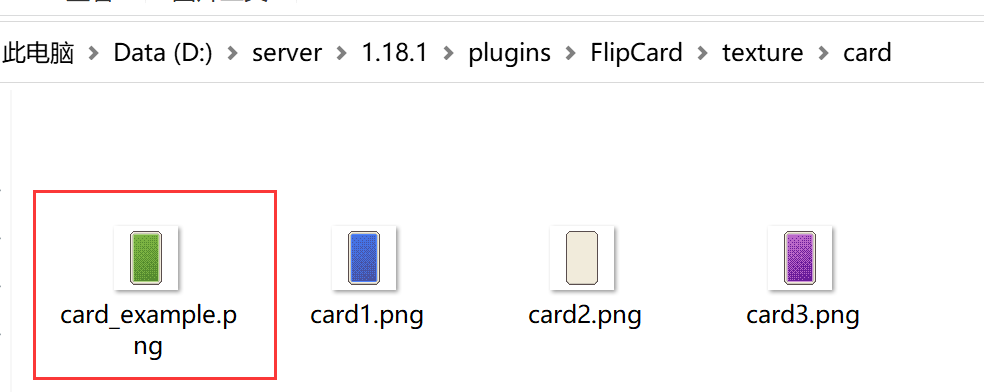
* Put your new card textures to `/plugins/FlipCard/texture/card` folder.
* Use **/fc reload** command to reload the plugin.
* Open config.yml, you will find new textures configuration have been generated. You can edit its configurations. **Use /fc reload command again if you have edited config.yml here.**
* Open /plugins/FlipCard/pack/ folder, zip this folder and this is the new resource pack.
## Add new edge texture:
* Put your new edge textures to `/plugins/FlipCard/texture/edge` folder.
* Repeat the card texture steps.
## Add new custom animation:
Please [view here](/features/custom-animation).
## Regnerate new resource pack
* For new card or edge texture: Just type `/fc reload` command.
* For modify generated card or edge texture: You need first delete those saved config in `config.yml` file then use the reload command. The config should be like this:
```yaml
card1:
reward: 70006
material: WHITE_DYE
cmd: 70000
frame:
- 70000
- 70001
- 70002
- 70003
- 70004
- 70005
card2:
reward: 70013
material: WHITE_DYE
cmd: 70007
frame:
- 70007
- 70008
- 70009
- 70010
- 70011
- 70012
card3:
reward: 70020
material: WHITE_DYE
cmd: 70014
frame:
- 70014
- 70015
- 70016
- 70017
- 70018
- 70019
expansion_card_back1:
reward: 70027
material: WHITE_DYE
cmd: 70021
frame:
- 70021
- 70022
- 70023
- 70024
- 70025
- 70026
expansion_card_back2:
reward: 70034
material: WHITE_DYE
cmd: 70028
frame:
- 70028
- 70029
- 70030
- 70031
- 70032
- 70033
expansion_card_front:
reward: 70041
material: WHITE_DYE
cmd: 70035
frame:
- 70035
- 70036
- 70037
- 70038
- 70039
- 70040
edge:
common:
material: WHITE_DYE
cmd: 70042
rare:
material: WHITE_DYE
cmd: 70043
very_rare:
material: WHITE_DYE
cmd: 70044
very_very_rare:
material: WHITE_DYE
cmd: 70045
```
## Configs Pack
Use custom font to add your UI texture to the game, I can give an example pack here:
### Legacy

{% file src="/files/QEqjeHiIbC1ySaeKRZXW" %}
### Vol.1

Download here:
More is coming.
# 🎨Color Code
## Hex Color
To use hex color, you should use special color code, it should like this:
**\&#Hex color code**
For example, `&#ff0000`.
## Gradient Color
To use gradient color, you should use special gradient color code, it should like this:
**&<#Start Color Code> Message &<#End Color Code>**
For example, `&<#666666>UltimateShop &<#ffffff>`
# 🎥Custom Animation
* Open your `config.yml` file, add below contents in it.
```yaml
animations:
chest: # Animation ID
chest_1: # Animation File Name
rotation: 0.0
y_translation: 0.0
z_translation: 28.0
x_scale: 1.9
y_scale: 1.9
material: WHITE_DYE
cmd: 70025
chest_2:
rotation: 0.0
y_translation: 0.0
z_translation: 28.0
x_scale: 1.9
y_scale: 1.9
material: WHITE_DYE
cmd: 70026
chest_3:
rotation: 0.0
y_translation: 0.0
z_translation: 28.0
x_scale: 1.9
y_scale: 1.9
material: WHITE_DYE
cmd: 70027
chest_4:
rotation: 0.0
y_translation: 0.0
z_translation: 28.0
x_scale: 1.9
y_scale: 1.9
material: WHITE_DYE
cmd: 70028
chest_5:
rotation: 0.0
y_translation: 0.0
z_translation: 28.0
x_scale: 1.9
y_scale: 1.9
material: WHITE_DYE
cmd: 70029
chest_6:
rotation: 0.0
y_translation: 0.0
z_translation: 28.0
x_scale: 1.9
y_scale: 1.9
material: WHITE_DYE
cmd: 70030
chest_7:
rotation: 0.0
y_translation: -18.0
z_translation: -28.0
x_scale: 1.9
y_scale: 1.9
material: WHITE_DYE
cmd: 70031
```
* `chest` is animation ID, and `chest_1, chest_2 etc.` are animation file name. You need put animation texture at `texture/animation` folder.
* `material` and `cmd` is optional, if not set, plugin will auto generate them.
* A custom animation must have 7 ticks, the first tick is same as front card, the last tick is same as back card, other 5 ticks are animations, if you set more or less then 7 ticks, animation maybe have some small problems (not test).
* Send `/fc reload` command in your server.
* Copy new resource pack to your client.
* Open `ui/.yml`, find your card configs, remove `edge`, `front` and `back` option in it, and add `animate` option with the animation id. (like `chest` in this example).
## Showcase
```yaml
card_2:
animate: chest # <--- Changed line, removed front and back option, add animate option
amount: 4
name: "&bCommon Card"
lore:
- "&7You need cost: %price% "
prices:
1:
free: true
apply: [1,2]
2:
economy-plugin: Vault
apply: [1,2,3,4,5]
cost: [50,500,1000,1500,2000]
rewards:
1: # Removed edge option
material: IRON_INGOT
amount: 5~10
rate: 10
2: # Removed edge option
material: DIAMOND
amount: 1~2
rate: 5
3: # Removed edge option
material: GOLD_INGOT
amount: 1~5
rate: 6
4: # Removed edge option
material: sword
amount: 1
rate: 1
5: # Removed edge option
material: gold_nugget
amount: 1
dispaly: "&6Coins"
lore:
- " ×1000"
rate: 10
give-item: false
actions:
1:
type: console_command
command: "eco give %player% 1000"
```
# 🌍Localized Item Name
## Requirements
* Server version 1.16+.
## Configs
* Open `config.yml` file, and fine below contents:
```yaml
config-files:
generate-default-files: true
language: en_US
minecraft-locate-file:
enabled: true
generate-new-one: true
file: 'zh_cn.json'
```
* Please set `minecraft-locate-file.enabled` option to true.
* Then also set `minecraft-locate-file.generate-new-one` option to true.
* Finally, set file option to your language locate file name. Support value:
* af\_za.json
* ar\_sa.json
* ast\_es.json
* az\_az.json
* ba\_ru.json
* bar.json
* be\_by.json
* bg\_bg.json
* br\_fr.json
* brb.json
* bs\_ba.json
* ca\_es.json
* cs\_cz.json
* cy\_gb.json
* da\_dk.json
* de\_at.json
* de\_ch.json
* de\_de.json
* el\_gr.json
* en\_au.json
* en\_ca.json
* en\_gb.json
* en\_nz.json
* en\_pt.json
* en\_ud.json
* enp.json
* enws.json
* eo\_uy.json
* es\_ar.json
* es\_cl.json
* es\_ec.json
* es\_es.json
* es\_mx.json
* es\_uy.json
* es\_ve.json
* esan.json
* et\_ee.json
* eu\_es.json
* fa\_ir.json
* fi\_fi.json
* fil\_ph.json
* fo\_fo.json
* fr\_ca.json
* fr\_fr.json
* fra\_de.json
* fur\_it.json
* fy\_nl.json
* ga\_ie.json
* gd\_gb.json
* gl\_es.json
* haw\_us.json
* he\_il.json
* hi\_in.json
* hr\_hr.json
* hu\_hu.json
* hy\_am.json
* id\_id.json
* ig\_ng.json
* io\_en.json
* is\_is.json
* isv.json
* it\_it.json
* ja\_jp.json
* jbo\_en.json
* ka\_ge.json
* kk\_kz.json
* kn\_in.json
* ko\_kr.json
* ksh.json
* kw\_gb.json
* la\_la.json
* lb\_lu.json
* li\_li.json
* lmo.json
* lo\_la.json
* lol\_us.json
* lt\_lt.json
* lv\_lv.json
* lzh.json
* mk\_mk.json
* mn\_mn.json
* ms\_my.json
* mt\_mt.json
* nah.json
* nds\_de.json
* nl\_be.json
* nl\_nl.json
* nn\_no.json
* no\_no.json
* oc\_fr.json
* ovd.json
* pl\_pl.json
* pt\_br.json
* pt\_pt.json
* qya\_aa.json
* ro\_ro.json
* rpr.json
* ru\_ru.json
* ry\_ua.json
* sah\_sah.json
* se\_no.json
* sk\_sk.json
* sl\_si.json
* so\_so.json
* sq\_al.json
* sr\_cs.json
* sr\_sp.json
* sv\_se.json
* sxu.json
* szl.json
* ta\_in.json
* th\_th.json
* tl\_ph.json
* tlh\_aa.json
* tok.json
* tr\_tr.json
* tt\_ru.json
* uk\_ua.json
* val\_es.json
* vi\_vn.json
* vp\_vl.json
* yi\_de.json
* yo\_ng.json
* zh\_hk.json
* zh\_cn.json
* zh\_tw\.json
* zlm\_arab.json
* Like I put `zh_cn.json` here. Start the server, the plugin will say it starting download the file.
* If sucessfully download, you will say new localized item name, like me:
## Problems
Do you have problems? Try:
* Delete the json file generated at `plugins/FlipCard` folder then regenerate this file.
* Did plugin print error message when generate the locate file? If yes, try restart the server and plugin will auto regenerate.
## Note
* **After generate this file, please keep generate-new-one option to false.**
* **If your server upgraded game version, you need delete old locate file and regenerate new one.**
* Server or plugin maybe lag when **first time** open the shop menu after restart the server, because we need build a cache for those localized item name. Under normal circumstances, you should not feel it unless you have a lot of products.
# 💾Saved Item
## Save your item
You can use command `/fc save ` command to save your hold item. There are 2 methods to save item.
* Bukkit: Use BukkitAPI's method to save item. The method only support saving vanilla data and persistent data stored through BukkitAPI, and other custom NBT data from other plugins will not be saved.
* Paper: Use PaperAPI's method to save item, this new method can 100% save item data, no data will lose. **(Paper and 1.15+ server only)**
If you are Paper server users and don't want to use new Paper method one, you need open `config.yml` file and edit the `paper-api.save-item` option to `false`, then we will still use Bukkit method save item even you are running Paper servers.
## Use saved item
You can use saved item in [ItemFormat](https://ultimateshop.superiormc.cn/format/itemformat-tm). In ItemFormat, there is a option called `material`, by default, you need type vanilla item ID there, but, you can also use saved item id to let plugin directly get the saved item instead of generate a whole new item with that type.
```yaml
display-item:
material: superior_sword # If saved item id is 'superior_sword'
```
Saved items will be cached in memory continuously after loading to avoid repeatedly reading the saved item file, which may consume too much server performance. However, the cost is that if you have too many saved items, it may correspondingly consume more memory.
# 🔄Auto Copy Resource Pack
* Open `config.yml` file, and fine below contents:
```yaml
auto-copy-resourcepack:
enabled: true
# If you are using Oraxen, please change this to Oraxen.
# Other plugins is OK, you just need put correct path in path option.
plugin: "ItemsAdder"
# If you are using Oraxen, please change this to "/pack/assets".
path: "/contents/flipcard/resourcepack/"
```
* Please set `auto-copy-resourcepack.enabled` option to true.
* Please set `auto-copy-resourcepack.plugin` option to the resource pack you are using. Support **ALL** resource pack plugin.
* Please set auto-copy-resourcepack.path option to the directory for storing texture for this resource package plugin, for example:
* ItemsAdder: `/contents/flipcard/resourcepack/`
* Oraxen: `/pack/assets`
# 🔍Custom Item Match Method
## Default Item Match Method
### Vanilla Items
By default, we support two item price match method, they are:
* Bukkit: This match method require inventory's item must 100% same as the price item, if the item player has changed some thing, it can not be matched anymore. For example, add enchantments or change item name in anvil, they will change item's NBT info.
* ItemFormat: ItemFormat can set ignore list of item's vanilla NBT. If you add enchants and name in ignore list, then player can still use this item as price even the item has more enchantments or changed item name.
Example config:
```yaml
item-price:
# Support Value: Bukkit or ItemFormat.
# For each product, you can add match-item section to make custom match method, for more info, please view Wiki.
check-method: Bukkit
# Only support ItemFormat match method.
item-format:
require-same-key: false
ignore-key:
- 'lore'
- 'damage'
- 'enchants'
- 'tool.damage-per-block'
- 'nbt.CustomNBTKey'
```
For options in `item-format` section:
* require-same-key: This means that the items in the shop must have all the data of the items owned by the player.
* ignore-key: The list of ItemFormat™ Key that will be ignored when check whether items are same.
You can parse the ItemFormat of a handheld item by using the command `/fc generateeitemformat`, and the key can also be indented. For example, if you only want to ignore the sharpness enchantment and do not want to ignore other enchantments, you can fill in `enchants.sharpness` in ignore-keys option instead of `enchants`.
### Third-plugin Item
Items generated by [Supported Plugins](/info/compatibility) will auto parse it's Item ID and compare it with the item ID you set in Item Format's `hook-item` option, so no matter how it changes, it will eventually match normally.
## Custom Match Method for each product - Require MythicChanger
Although the **ItemFormat** method described above solves the problem of items being modifiable, its flexibility is still insufficient. Therefore, this feature can help you set custom price match modes for each item price.
You can **add** a `match-item` section in the configuration of each **price**, which means that if the item meets this matching rule, it is considered match.
This feature require your server must install **MythicChanger** plugin, please get it here:
**FREE:** [Click to download](https://www.spigotmc.org/resources/mythicchanger-match-and-modify-all-your-items-without-trouble-1-14-1-21.98523/)
**PREMIUM:** [Click to download](https://www.spigotmc.org/resources/mythicchanger-premium-match-and-modify-all-your-items-without-trouble-1-14-1-21.115913/)
For how to configure the `match-item` section, please read MythicChanger's wiki, [click here to visit](https://mythicchanger.superiormc.cn/configs/match-item). Please note that some of the match rules require **PREMIUM version of MythicChanger.**
An example product config can be found at [this page](/flip-ui/ui-config/prices-option).


